What Is an AI Agent? Definition, How It Works, Types, and Enterprise Use Cases
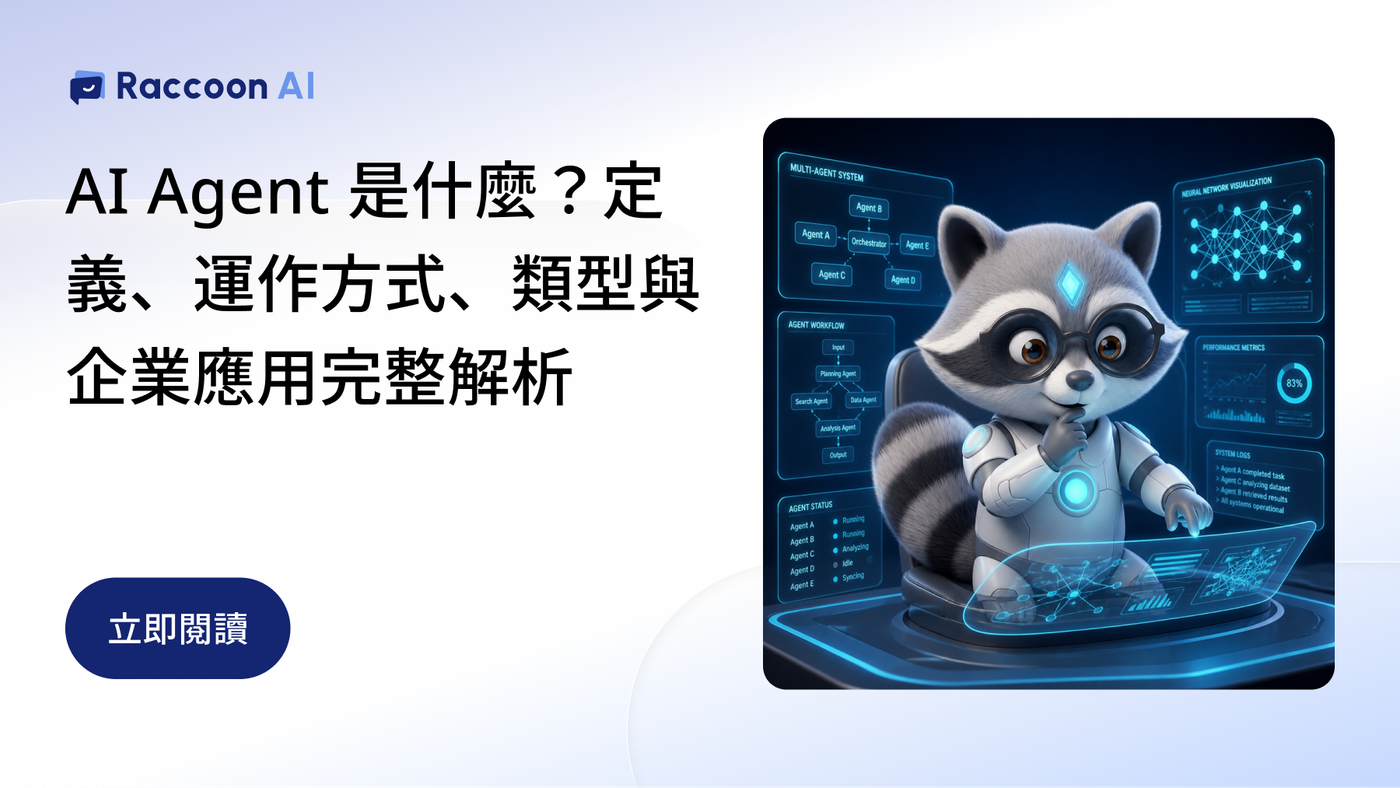
After generative AI became mainstream, businesses have grown accustomed to using AI to write copy, summarize documents, organize information, and answer questions. But when AI goes beyond “providing answers” to research information, evaluate conditions, call systems, and even move tasks to the next step, it enters the realm of AI Agent (AI agent) .
An AI Agent (also known in Chinese as AI 代理 or AI 代理人, and as AI 智能體 in Mainland China) is an AI system that can understand goals, plan tasks, use tools, and adjust its next steps based on execution results. Its biggest difference from general generative AI is that it does not just answer questions—it participates in completing tasks within its authorized scope.
For example, if a customer asks, “Can I change the shoes I ordered yesterday to size 25?” general generative AI would explain the brand’s exchange policy. An AI customer service Agent would identify the request, look up the order, check shipment status and inventory, execute the exchange process if the conditions are met, and escalate exceptions to a human agent.
Why did AI Agents gain rapid adoption after 2025?
Advances in large language models (LLMs) across reasoning, planning, and tool calling have enabled AI, for the first time, to break ambiguous goals into executable steps. As a result, AI Agents have moved from concept into enterprise workflows.
Market research firm Gartner estimates that by the end of 2026, 40% of enterprise applications will embed task-specific AI Agents, up from less than 5% in 2025. In customer service, Gartner also predicts that by 2029 agentic AI will autonomously resolve 80% of common customer service issues without human intervention.
But momentum does not equal results.Gartner also cautions that more than 40% of agentic AI projects may be discontinued due to cost, unclear value, or insufficient risk controls. This is why the final section of this article addresses the four questions to answer before implementation.
How do AI Agents work? Not just an LLM, but a loop of 5 core capabilities
Most AI Agents today use large language models as their reasoning core, but an LLM alone is not enough to form an Agent. Former OpenAI research lead Lilian Weng breaks an Agent down into “LLM + planning + memory + tool use.” In an enterprise context, a complete AI Agent typically includes the following 5 capabilities.

1. Understanding and reasoning: Knowing what the user wants to accomplish
An LLM can understand natural language and context. For example, when a customer says, “The item I bought last week still hasn’t arrived,” AI must first determine that this is not a product inquiry, but an order shipment inquiry, then decide what information to retrieve next.
2. Planning: Breaking a goal into executable steps
An Agent does not simply generate a single answer. It first decides what needs to happen next. For a shipment inquiry, for example: verify the customer’s identity → find the order → read the shipment status → check logistics information → generate a response. If required information is missing, the Agent asks the customer a follow-up question instead of proceeding in the wrong direction.
3. Tool Use: Operating enterprise systems
This is the key that moves an AI Agent from “able to talk” to “able to act.” Through APIs, databases, or system integrations, an Agent can read order, member, inventory, CRM, and customer service system data, and take actions within the permissions configured by the company. The LLM handles understanding and decision-making, while tools handle system interactions.
4. Memory: Retaining the context needed for the task
Multi-step work often cannot be completed in a single question-and-answer exchange. An Agent therefore needs to remember which customer it is currently handling, what information has already been obtained, what the previous step completed, and what still needs to happen next.
5. Feedback: Adjusting the next step based on results
When the result differs from expectations—for example, the product has already shipped, inventory is unavailable, or the return/exchange window has passed—the Agent reevaluates instead of continuing along the original process. In this sense, an AI Agent operates more like a loop: understand the goal → plan → use tools → retrieve results → evaluate → continue execution or hand off to a human.
What is the difference between an AI Agent and traditional AI ?
The difference is not which one is smarter, but the scope of work AI can participate in: traditional AI helps you think, while an AI Agent helps you keep work moving within its authorized scope.
Comparison dimension | Traditional AI | AI Agent |
Core purpose | Generate answers or content | Complete goals |
Interaction model | Responds after the user provides a prompt | Receives a goal and continuously advances the task |
Task scope | Summarization, translation, writing, Q&A | Querying, evaluating, executing, updating, reporting |
Tool use | Primarily generates content | Can call APIs, databases, and enterprise systems |
Process capability | Typically completes one task at a time | Can handle multi-step tasks |
Exception handling | Waits for the user to provide new instructions | Can adjust the next step based on results |
Enterprise role | Copilot / work assistant | Process executor |
In short: traditional AI helps you think, while an AI Agent helps you keep work moving within its authorized scope.
The two do not replace each other. On the contrary, LLMs and generative AI are often the core foundational capabilities of an AI Agent.
How Are AI Agents, Chatbots, Workflows, and RPA Different?
A common misconception is that “if a system executes automatically, it is an AI Agent.” The key difference is whether the process can make dynamic decisions based on context.Anthropic, in “Building effective agents,”makes the same distinction: a Workflow connects an LLM and tools through predefined program paths, while an Agent lets the LLM dynamically decide the steps and tools.
Type | How it works | Best at | When exceptions occur | Example |
Workflow | Predefined conditions and execution paths | Connecting systems and automating fixed processes | Handled based on predefined conditions; anything outside the rules usually requires manual adjustment | Receive form → Create CRM contact → Send Email |
RPA | Predefined operating steps that simulate how people use systems | Highly repetitive, clearly defined operational tasks | Usually requires reconfiguration when interfaces or processes change | Log in to admin console → Download report → Paste into Excel |
Chatbot | Keywords, intents, FAQs, or language models | Understanding questions, providing information, and responding to customer inquiries | Responds based on the knowledge base or configuration, and hands off to a human when needed | Answer product questions, check order status, and provide FAQ responses |
AI Agent | Goal-oriented, dynamically plans steps and uses tools | Multi-step tasks, data-based decisions, tool collaboration, and dynamic adjustment | Reassesses the next step, gathers additional information, and stops for human handling when needed | Query data based on customer needs → Determine the solution → Execute the task → Report the result |
In practice, enterprises often use Workflow and RPA for clearly defined, rule-based work, while assigning decision-heavy steps to AI Agents. The two are often used together.
Common AI Agent TypesWhat Are They?
Based on task scope and level of autonomy, common AI Agents can be divided into three types. The difference is not the technology itself, but how many steps the task involves and how many roles need to be coordinated.
Personal Assistant Agent
Primarily helps individuals complete knowledge work, such as organizing meeting notes, analyzing documents, drafting reports, and collecting information. This type of Agent typically has lower system permissions and is often the easiest starting point for enterprise adoption.
Process Execution Agent
Starts connecting with enterprise systems, such as checking orders, updating CRM, creating customer service tickets, evaluating return and exchange conditions, and scheduling appointments. At this stage, AI moves beyond a simple work assistant and into enterprise operations.
Multi-Agent Collaboration
When a task spans multiple functions, multiple Agents can collaborate with a clear division of responsibilities.
For example, after receiving a business inquiry: Sales Agent qualifies the opportunity → Product Agent prepares product information → CRM Agent creates the record → Customer Service Agent handles follow-up questions.
This architecture can handle more complex work, but it also requires more complete permissions, data, and governance mechanisms.
Common Enterprise AI Agent Use Cases
AI Agent Use Cases are broad, but not every process should be handed directly to an Agent.
AI Agent use cases that are better suited for early adoption typically meet three criteria: high frequency, reliance on clearly defined data, and verifiable outcomes.
1. AI Customer Service and Customer Conversations
Customer service is one of today’s most typical AI Agent Use Cases. A single customer service task often includes: understanding the issue → retrieving data → evaluating rules → responding → executing a process → recording the result → human handoff when needed.
For example, when handling an exchange, an Agent can confirm the order, inventory, and exchange conditions based on the customer’s needs, instead of simply returning a generic returns and exchanges FAQ.
2. Sales and CRM
Agents can organize lead data, update CRM, generate meeting summaries, and even remind teams of the next follow-up based on customer status.
3. Internal Knowledge and SOPs
HR, IT, operations, and administrative teams can use Agents to search the internal knowledge base, then guide employees through the next steps based on their questions.
4. Marketing and Content
Agents can identify high-frequency questions from customer service and market conversations, analyze content gaps, and generate content drafts for marketing teams to review.
Compared with simply mass-generating SEO articles, the greater value lies in turning first-party conversation data into reusable, long-term content assets.
AI Agent Pros and ConsWhat are they?
When discussing the pros and cons of AI Agents, you cannot evaluate them solely by “how much time they save.” Once AI has execution permissions, businesses must evaluate both efficiency and governance.
Key advantages of AI Agents
- Handle repetitive workflows and reduce the time required to search for and process information.
- Turn data scattered across different systems into concrete actions.
- Create task records, helping standardize processes that previously lived in individual team members’ experience.
- Operate 24/7 to handle requests outside business hours.
It can handle repetitive workflows, reduce the time required to search for and process information, and turn data across different systems into concrete actions. In addition, an Agent can create task records, helping standardize processes that were previously scattered across individual team members’ experience.
Risks and limitations of AI Agents
- Data quality:If product information, SOPs, pricing, or member data contradict one another, the Agent may still reach the wrong conclusion—even if the model itself is highly capable.
- Task chain errors:In multi-step tasks, an error in an earlier step may become the input for the next step. The longer the workflow, the more important validation mechanisms become.
- Permission management:Being able to “read orders” and being able to “modify orders” represent entirely different risk levels. Businesses should follow the principle of least privilege and grant only the permissions an Agent truly needs to complete its tasks.
- Accountability and human intervention:Businesses must clearly define which tasks AI can complete independently and which situations require it to stop and hand off to a human.
Customer service AI Agents in practice: Raccoon AI as an example
For companies implementing AI Agents for the first time, customer service is often the easiest scenario for establishing performance metrics: with a high volume of real conversations, it is clear whether AI is truly resolving issues—not just generating plausible answers.
Raccoon AI’s AI customer servicebrings AI Agents into enterprise customer conversations. Beyond reading the brand knowledge base to answer FAQs, it can connect with CRM and e-commerce platforms to look up orders, process returns and exchanges, and handle size changes during conversations. When exceptions arise, it attaches a conversation summary and hands off to a human.
Real-world metrics for customer service AI Agents
- 53% of conversations happen after business hours: According to Raccoon AI internal data, 53% of customer conversations among companies using Raccoon AI occur outside business hours. These inquiries, which human teams often cannot handle in real time, are answered and processed immediately by AI Agents.
- Response accuracy increased from 72% to 92%: With Self Improving Engine, the system proactively monitors AI response quality and continuously optimizes performance.
- Build an Agent simply by describing it: Text to Agent lets businesses describe requirements in natural language, automatically configure scripts for product introductions, FAQs, order inquiries, and more, and connect with e-commerce platforms such as Shopify, SHOPLINE, and CYBERBIZ.
Cross-industry implementation case studies
- Real estate:遠雄房地產implemented AI customer service on its property project websites, combining automatic tagging, SMS services, and map search so human sales teams can quickly understand customer needs and conversation context.
- Lifestyle services:HoHo 好服務uses a 24/7 AI concierge to continuously handle real-time needs from pet-owning households and eldercare customers.
- Consumer electronics accessories:APIOU reduced missed messages by 70% through AI automation, minimizing customer churn caused by long wait times.
These three cases span real estate, lifestyle services, and consumer electronics retail, reflecting the same trend: AI customer service is moving beyond passive responses to become an AI Agent that supports conversion, handles workflows, and empowers human teams.
This also confirms that what businesses should measure is not just “how many messages AI answered,” but:
- How many issues did AI actually resolve?
- Which issues most often require human handoff?
- Which knowledge content is most likely to produce errors?
- Which workflows can be further handled by AI?
- Which conversations may lead to future sales or service opportunities?
Before implementing AI Agents, businesses should answer four questions first
Businesses do not need to build an all-capable Agent from day one. A more practical AI Agent implementation approach is to clarify four things first.
First, is this task worth automating?
Prioritize high-frequency work with relatively clear rules and measurable outcomes.
Second, which data can the Agent trust?
Identify which internal knowledge bases, CRM, ERP, order, or other systems can provide reliable information.
Third, how far should the Agent go?
Separate “read, recommend, modify, and execute” into distinct permissions. The more irreversible, high-value, or high-risk an action is, the more it should require human confirmation.
Fourth, who can step in when something goes wrong?
An Agent should not be designed as a fully unmanaged black box. Enterprises need visibility into execution logs, the ability to track outcomes, and the option to stop a workflow or hand it off to a human when needed.
A truly mature enterprise AI Agent is not the Agent with the highest level of autonomy, but a system that strikes the right balance across efficiency, data, permissions, and human governance.
AI Agent FAQs
Q1: What is an AI Agent?
An AI Agent is an AI system that can understand goals, plan tasks, use tools, and adjust its next steps based on execution results. Compared with general generative AI, it does more than generate answers—it can also participate in task execution within its authorized scope.
Q2: Is ChatGPT considered an AI Agent?
It depends on how it is used. In a standard Q&A mode, ChatGPT is an AI assistant powered by a large language model. ChatGPT’s agent capabilities can plan steps, use tools, and complete tasks, which aligns with the definition of an AI Agent. Enterprise AI Agents also connect with internal systems and execute workflows within predefined permissions.
Q3: What is the difference between an AI Agent and Agentic AI?
Agentic AI typically refers to the technical direction of giving AI autonomous planning and execution capabilities. An AI Agent is the practical implementation: a system that completes specific tasks within an authorized scope.
Q4: What is the difference between an AI Agent and a Chatbot?
A Chatbot is typically focused on Q&A and responds based on keywords or FAQs. An AI Agent can plan multiple steps toward a goal, access system data, and execute follow-up actions.
Q5: What is the difference between an AI Agent and RPA?
RPA simulates human operations based on fixed rules and is well suited for repetitive work with clearly defined steps. An AI Agent can determine the next step based on context, making it suitable for tasks that require understanding and judgment. The two are often used together.
Q6: What are the common types of AI Agents?
Based on task complexity, AI Agents can be categorized into personal assistant Agents, workflow execution Agents, and Multi-Agent systems where multiple Agents collaborate with defined responsibilities.
Q7: What are common AI Agent use cases?
Customer service, CRM, internal knowledge management, IT support, operations workflows, and marketing content organization are all common use cases. In general, workflows that are high-frequency, have clear data sources, and produce easily verifiable outcomes are the best candidates for early evaluation.
Q8: Are AI Agents secure?
Security depends on how they are designed. The three essentials are: separate read, recommend, modify, and execute into distinct permissions; maintain complete execution logs so issues can be traced; and stop or hand off to a human when exceptions or high-risk actions occur.
Q9: Where should enterprises start when implementing AI Agents?
Start with a high-frequency, low-risk, measurable workflow, such as customer service FAQs, order inquiries, or internal SOPs. Then gradually expand data sources, tools, and execution permissions.
Raccoon AI Customer Service: Let AI Agents Start Taking Over Tasks from Customer Conversations
Raccoon AI serves more than 400 enterprises with AI Agent technology, seamlessly integrating with CRM and e-commerce platforms. With the market’s most comprehensive conversation scripting capabilities, AI can do more than send automated replies—it can complete tasks, including returns and exchanges, size changes, and price estimates, helping you turn every conversation into a revenue opportunity.
Explore Raccoon AI Customer Service